Instant Access on Any Device
Sign in from a desktop browser, mobile browser on iOS or Android, or any tablet. The full catalogue of pokies and live tables loads without app installation.
Login at Rockwin: Email & Password Access
Your AUD account, 3,000+ pokies and Evolution Gaming live tables are one sign-in away. Access everything from any browser, on any device.
Keep Your Rockwin Account Secure
What You Should Do
What You Should Avoid
What Your Rockwin Account Gives You
Instant Access on Any Device
Sign in from a desktop browser, mobile browser on iOS or Android, or any tablet. The full catalogue of pokies and live tables loads without app installation.
Two-Factor Authentication
Enable 2FA in your account security settings to add a second verification step at login, protecting your balance and personal details from unauthorised access.
Biometric Login on Mobile
On supported iOS and Android devices, use Face ID or fingerprint authentication to sign in quickly without typing your password on a small screen.
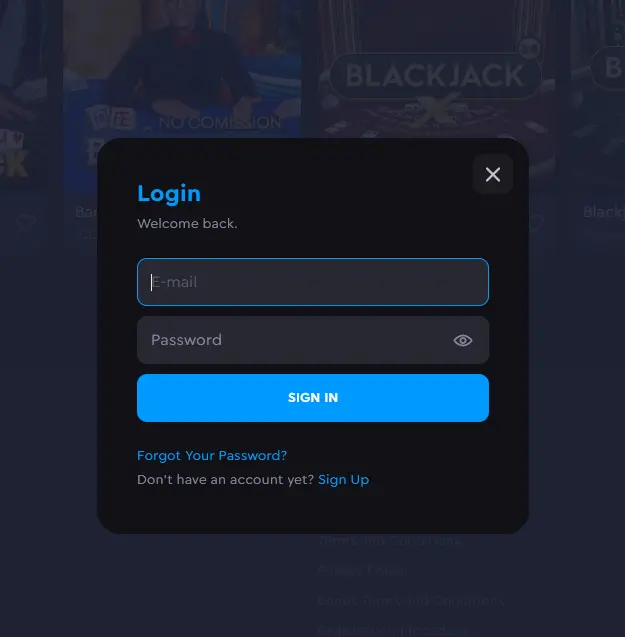
Rockwin uses a standard email and password combination as the primary sign-in method, supported by optional two-factor authentication and biometric login on compatible mobile devices. All of these methods connect to the same account, so your AUD balance, active bonuses, GPoints loyalty status and transaction history are consistent whether you log in from a desktop browser or your phone’s Safari or Chrome.
There is no separate login portal for mobile. The standard login button on the Rockwin homepage triggers the same authentication flow on any device, and the session carries over if you switch between devices mid-session without logging out first.
Logging in to Rockwin is a single-step process on every platform. There are no separate portals for mobile or desktop, and no app installation required before you can sign in.
Open the official Rockwin website in any desktop browser (Chrome, Firefox, Edge or Safari all work). Click the login button in the top right corner of the navigation bar. Enter the email address you registered with and your account password, then click Sign In. If two-factor authentication is enabled on your account, you will be prompted for the verification code from your authenticator app before access is granted.
Navigate to the Rockwin site in your phone’s browser (Safari on iOS, Chrome on Android). The layout adjusts automatically to the smaller screen. The login button appears in the top navigation. Enter your email and password as normal. On supported devices with biometrics enabled, you may be offered Face ID or fingerprint authentication as an alternative to typing your password. Your session remains active until you log out or the session timeout is reached.
Rockwin is accessible as a progressive web app (PWA) on both iOS and Android. On iPhone and iPad, open Rockwin in Safari, tap the share button, and choose “Add to Home Screen” to create a shortcut that opens the casino in a full-screen browser window without the address bar. On Android, Chrome offers a similar “Add to Home Screen” prompt when you visit the site. Logging in through this shortcut uses the same credentials as the standard browser sign-in.
Your Rockwin account holds your AUD balance, personal details and payment method history, so keeping it secure is worth the small amount of setup time it takes. The most effective combination is a unique, complex password plus two-factor authentication (2FA).
To enable 2FA, navigate to the security section inside your account settings and follow the prompts to link an authenticator app. Once active, a sign-in from an unrecognised device will require both your password and a one-time code from your authenticator before access is granted. This prevents anyone who obtains your password from accessing the account without also having physical access to your phone.
Biometric login (Face ID or fingerprint) is available on supported mobile devices as an additional convenience layer on top of your standard credentials. It does not replace 2FA but makes the login step faster on trusted personal devices.
Most login issues fall into one of a small number of categories and can be resolved without contacting support.
If you cannot remember your password, use the Forgot Password link on the login page. Enter your registered email address and check your inbox for a reset link, which is valid for 30 minutes. If the email does not arrive within a few minutes, check your spam folder and confirm you are searching the correct inbox for the email address attached to your account.
If your account has been locked after multiple failed login attempts, a temporary lock is applied automatically as a security measure. Wait a short period and try again, or use the password reset flow above if you are unsure of your credentials.
If you are certain your credentials are correct but the login is still failing, clear your browser’s cache and cookies for the Rockwin site and try again in a private browsing window. This rules out a stored incorrect credential or a corrupted session cookie as the cause. If the problem persists, contact support at [email protected] with your registered email address so the team can investigate the account status.
If you are trying to log in from a new device or location and are receiving a security check, this is the 2FA prompt working as intended. Enter the one-time code from your linked authenticator app to proceed.
Registering at Rockwin takes under five minutes. Click the registration button on the homepage, enter your email address and a chosen password, and select AUD as your account currency to ensure all deposits and withdrawals are handled in Australian dollars without conversion fees. Once your email is verified, your account is active. You can then complete your player profile with your full legal name, date of birth and Australian residential address, which is required for KYC verification before your first withdrawal is processed.
Login Questions Answered
Click the Forgot Password link on the login page, enter the email address registered to your account, and Rockwin will send a reset link valid for 30 minutes. Create a new password with at least one uppercase letter, one number and one special character.
Yes. Open your mobile browser on iOS or Android, navigate to the official Rockwin site, and sign in with your email and password. The full casino including pokies, Evolution Gaming live tables and the cashier is accessible this way with no download required.
Multiple incorrect password entries trigger a temporary account lock as a security measure. Wait a few minutes, then use the Forgot Password option to reset your credentials, or contact support at [email protected].
Sign In and Start Playing
Grab 100% up to $3,000 and 350 free spins.
Enter Casino Must be 18+ to play. Gambling involves risk of addiction. Bonus terms and conditions apply.